

Cart
0


MOOER GE1000 Guitar Mutieffects Pedal Processor WIth 5'' Touch Screen, 288 Effects, AI Equalization Third-brand IRs, Stereo Soun
Free Standard Shipping Across USA
Brand: MOOER
Sku: WBMUSB0CMQFCBY8
Couldn't load pickup availability
Sold by eMusicMart, an authorized reseller.
Returns accepted within 30 days | support@emusicmart.com
Shipping Information
- Free Standard Shipping — United States only
- Processing Time: 3–5 business days
- Estimated Delivery: 6–10 business days after dispatch
- Securely packed to ensure your purchase arrives in perfect condition
- Tracking number sent via email once dispatched
Returns & Refund
Returns accepted within 30 days of delivery.
Damaged or Defective Item
Free return shipping + replacement or full refund
Wrong Item Received
Free return shipping + replacement or full refund
Change of Mind
Return shipping at customer's expense · Item must be unused & in original packaging
All returns require a Return Authorization (RA) number before sending.
View Full Return & Refund Policy
Safety & Compliance
⚠️
California Proposition 65 Warning
Some products sold on this website may expose you to chemicals known to the State of California to cause cancer, birth defects, or other reproductive harm.
www.P65Warnings.ca.gov
🛒
General Product Safety Advisory
Always read the product label, instructions, and safety warnings before use. Do not use damaged or modified products. Store products in appropriate conditions as specified by the manufacturer.
Keep all products out of reach of children unless specifically designed for their use.
ℹ️
Product Authenticity & Notice
All products sold by eMusicMart are 100% authentic, sourced directly from authorized brand distributors. Product colors and dimensions may vary slightly from images due to screen calibration and manufacturing tolerances.
eMusicMart — Your Music, Our Passion.
Guarantee safe checkout

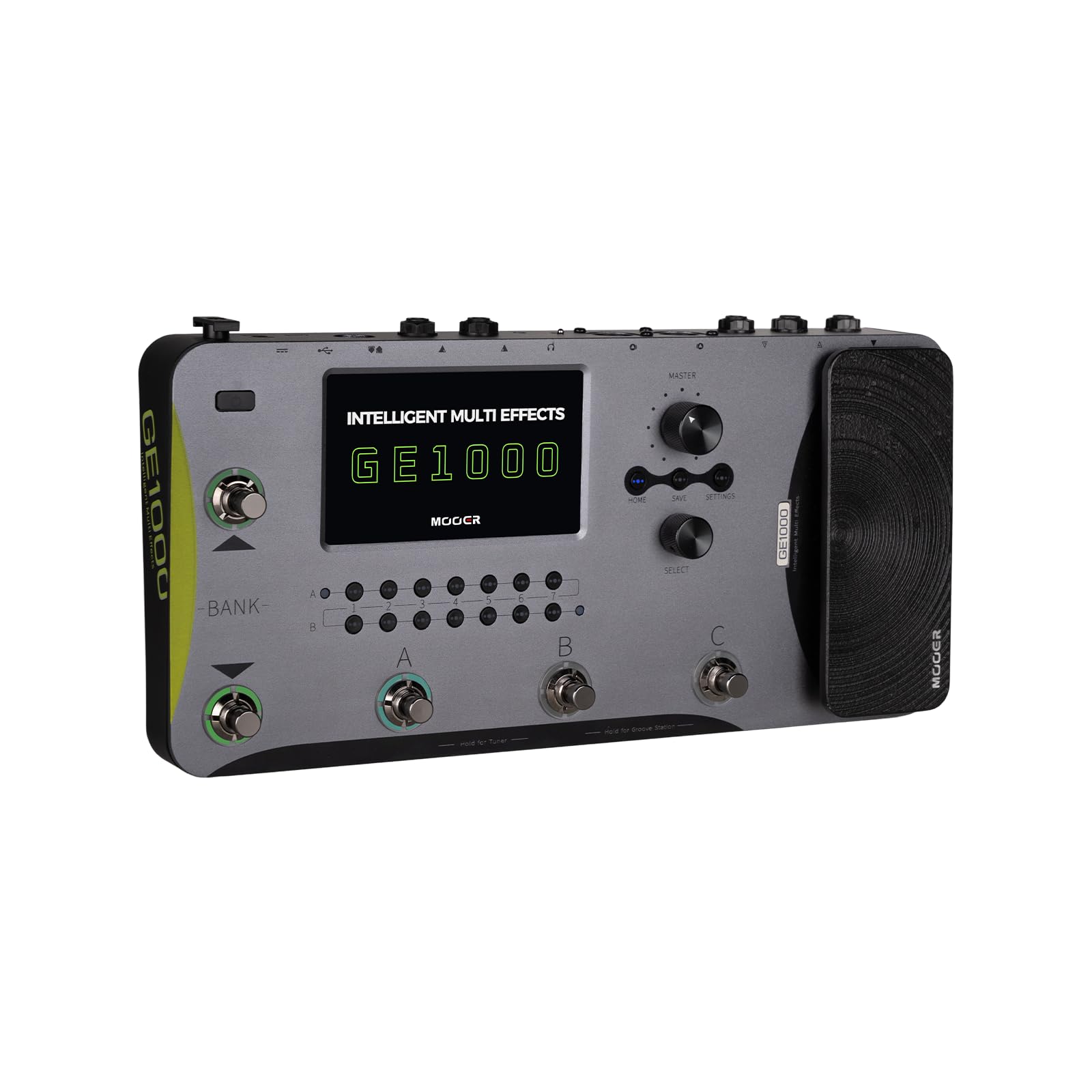
MOOER GE1000 Guitar Mutieffects Pedal Processor WIth 5'' Touch Screen, 288 Effects, AI Equalization Third-brand IRs, Stereo Soun
$583.99

Frequently Asked Questions
- Q: What is the size of the MOOER GE1000 Guitar Mutieffects Pedal? A: The MOOER GE1000 features a five inch touch screen, providing a compact yet functional interface for musicians.
- Q: What effects does the MOOER GE1000 include? A: The MOOER GE1000 includes over three hundred effects, encompassing various modules such as amp simulators, reverb, delay, and overdrive.
- Q: What materials are used in the MOOER GE1000 construction? A: The MOOER GE1000 is primarily composed of high-quality electronic components designed for durability and performance, though specific materials are not listed.
- Q: How do I use the MOOER GE1000? A: To use the MOOER GE1000, simply connect your instrument, select your desired effects from the touch screen, and start playing.
- Q: Is the MOOER GE1000 suitable for beginners? A: Yes, the MOOER GE1000 is user-friendly, making it suitable for both beginners and experienced musicians alike.
- Q: Can I modify the effects on the MOOER GE1000? A: Yes, the MOOER GE1000 allows you to customize and save your effects settings, giving you creative control.
- Q: How do I maintain the MOOER GE1000? A: To maintain the MOOER GE1000, keep it in a dry environment, avoid exposure to extreme temperatures, and regularly update the firmware.
- Q: Does the MOOER GE1000 have a warranty? A: Yes, the MOOER GE1000 typically comes with a manufacturer's warranty, but details may vary by retailer.
- Q: Can the MOOER GE1000 connect to other devices? A: Yes, the MOOER GE1000 features MIDI IN and OUT interfacing, as well as USB-C connectivity for preset management.
- Q: What should I do if the MOOER GE1000 arrives damaged? A: If the MOOER GE1000 arrives damaged, contact the retailer immediately to initiate a return or exchange process.
- Q: Is there a mobile app for the MOOER GE1000? A: Yes, the MOOER GE1000 is compatible with a mobile app for cloud-based preset management and updates.
- Q: How do I clean the MOOER GE1000? A: To clean the MOOER GE1000, use a soft, dry cloth to wipe the surface, and avoid using any harsh chemicals.
- Q: What is the power requirement for the MOOER GE1000? A: The MOOER GE1000 operates on standard AC power, and specific requirements should be checked in the user manual.
- Q: Can I use third-party effects with the MOOER GE1000? A: Yes, the MOOER GE1000 supports third-party IR files and external effect devices through its FX LOOP function.
- Q: What is the Bluetooth capability of the MOOER GE1000? A: The MOOER GE1000 supports Bluetooth audio output functionality, allowing for wireless connectivity with compatible devices.