

Cart
0


AVerMedia Avermic AW315: Wireless Teacher Microphones, Use 2 Microphones Simultaneously, One for Speaker and The Other for Audie
Free Standard Shipping Across USA
Brand: AVerMedia
Sku: WBMUSB07SJV7RMG
Couldn't load pickup availability
Sold by eMusicMart, an authorized reseller.
Returns accepted within 30 days | support@emusicmart.com
Shipping Information
- Free Standard Shipping — United States only
- Processing Time: 3–5 business days
- Estimated Delivery: 6–10 business days after dispatch
- Securely packed to ensure your purchase arrives in perfect condition
- Tracking number sent via email once dispatched
Returns & Refund
Returns accepted within 30 days of delivery.
Damaged or Defective Item
Free return shipping + replacement or full refund
Wrong Item Received
Free return shipping + replacement or full refund
Change of Mind
Return shipping at customer's expense · Item must be unused & in original packaging
All returns require a Return Authorization (RA) number before sending.
View Full Return & Refund Policy
Safety & Compliance
⚠️
California Proposition 65 Warning
Some products sold on this website may expose you to chemicals known to the State of California to cause cancer, birth defects, or other reproductive harm.
www.P65Warnings.ca.gov
🛒
General Product Safety Advisory
Always read the product label, instructions, and safety warnings before use. Do not use damaged or modified products. Store products in appropriate conditions as specified by the manufacturer.
Keep all products out of reach of children unless specifically designed for their use.
ℹ️
Product Authenticity & Notice
All products sold by eMusicMart are 100% authentic, sourced directly from authorized brand distributors. Product colors and dimensions may vary slightly from images due to screen calibration and manufacturing tolerances.
eMusicMart — Your Music, Our Passion.
Guarantee safe checkout

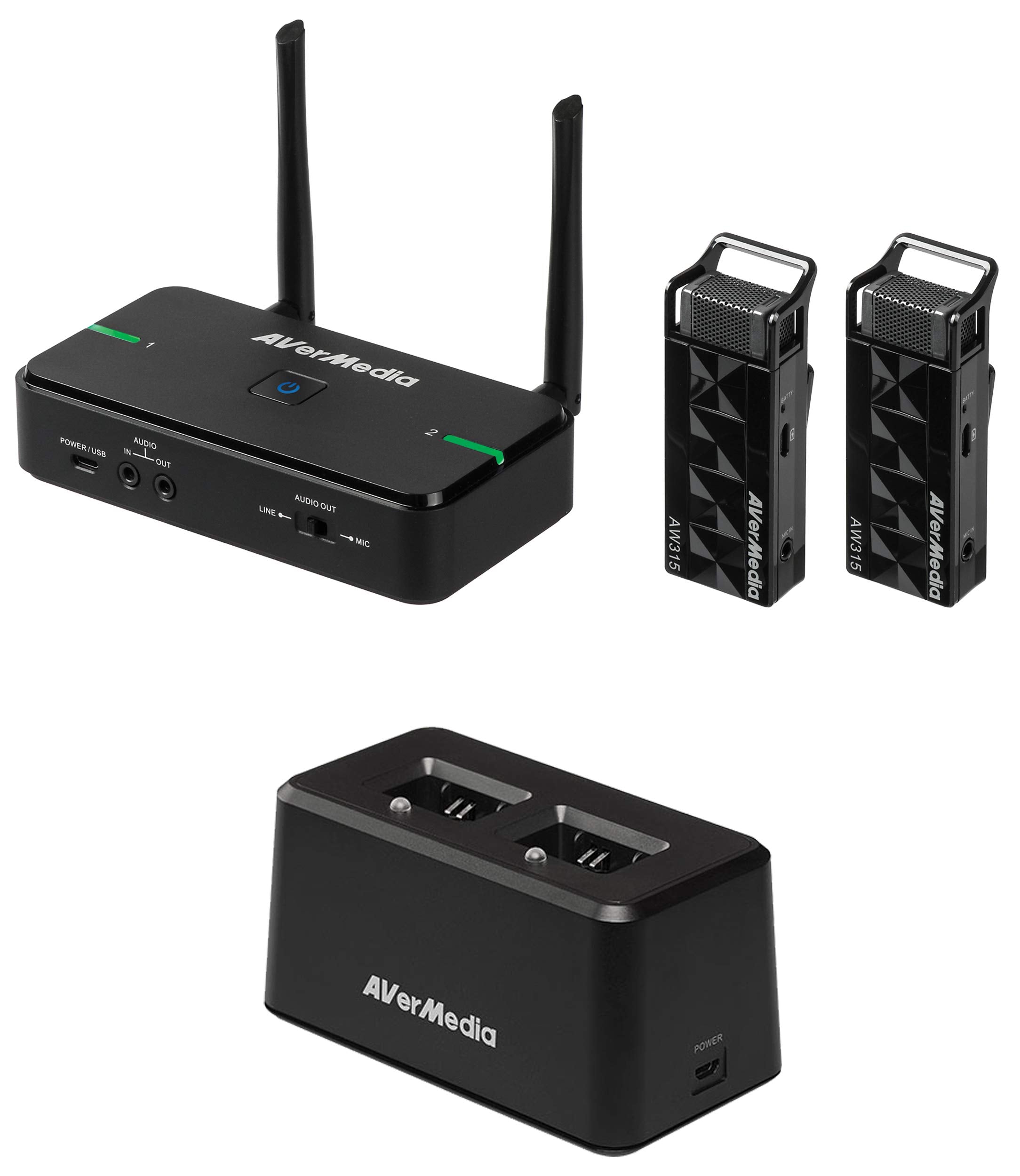
AVerMedia Avermic AW315: Wireless Teacher Microphones, Use 2 Microphones Simultaneously, One for Speaker and The Other for Audie
$460.12

Frequently Asked Questions
- Q: What materials are used in the AVerMedia Avermic AW315 microphones? A: The AVerMedia Avermic AW315 microphones are made from metal. This ensures durability and reliability in a classroom setting.
- Q: What is the model number of the AVerMedia Avermic microphone system? A: The model number is AW315F. This designation helps to identify the specific features and specifications of the product.
- Q: How does the AW315 microphone system connect to amplifiers? A: The AW315 microphone system connects to amplifiers through line in and mic in options. This versatility allows for easy integration with various audio systems.
- Q: How do you install the AVerMedia AW315 microphone system? A: Installation takes approximately three minutes using Velcro tape. This simple setup allows for quick deployment in any classroom.
- Q: What is the frequency range of the AVerMedia AW315 microphones? A: The AW315 operates on a two point four gigahertz frequency. This frequency range is ideal for minimizing interference in crowded environments.
- Q: Can I use multiple AW315 microphones at the same time? A: Yes, you can use two microphones simultaneously with the AW315 system. One microphone can be designated for the speaker, while the other serves the audience.
- Q: How does the smart pair feature work? A: The smart pair feature allows automatic pairing of microphones to a specific speaker. This functionality enhances convenience and ensures a seamless audio experience.
- Q: Is the AW315 microphone system suitable for outdoor use? A: The AW315 is designed primarily for indoor use. For outdoor applications, consider environmental factors that may affect wireless performance.
- Q: What charging options are available for the AW315 microphones? A: The AW315 comes with a charging dock for convenient recharging of microphones. This ensures they're ready for use whenever needed.
- Q: What is the safety feature of the AVerMedia AW315 system? A: The AW315 includes a lock mode for zero interference with other microphones. This safety feature ensures clear communication in multi-microphone environments.
- Q: How should I clean the AVerMedia AW315 microphones? A: Clean the microphones with a soft, dry cloth to maintain their condition. Avoid using harsh chemicals that could damage the surface.
- Q: How do I store the AW315 microphones when not in use? A: Store the AW315 microphones in a cool, dry place. Keeping them in the charging dock also helps maintain battery life.
- Q: What if my AW315 microphone system arrives damaged? A: If your AW315 arrives damaged, contact customer support for assistance with return or replacement options. They will guide you through the process.
- Q: Are there warranty options available for the AW315 microphone system? A: Yes, the AW315 typically comes with a limited warranty. Check the product documentation for specific warranty details and coverage.
- Q: Is the AVerMedia AW315 suitable for large classrooms? A: Yes, the AW315 is suitable for large classrooms due to its dual microphone capability and strong wireless range. It enhances communication in spacious environments.