

Cart
0


NEAT Microphones Neat Skyline - Directional Cardioid USB Desktop Condenser Conferencing Microphone for Conference, Podcast, and
Free Standard Shipping Across USA
Brand: N Neat Microphones
Sku: WBMUSB09GMS24DW
Couldn't load pickup availability
Sold by eMusicMart, an authorized reseller.
Returns accepted within 30 days | support@emusicmart.com
Shipping Information
- Free Standard Shipping — United States only
- Processing Time: 3–5 business days
- Estimated Delivery: 6–10 business days after dispatch
- Securely packed to ensure your purchase arrives in perfect condition
- Tracking number sent via email once dispatched
Returns & Refund
Returns accepted within 30 days of delivery.
Damaged or Defective Item
Free return shipping + replacement or full refund
Wrong Item Received
Free return shipping + replacement or full refund
Change of Mind
Return shipping at customer's expense · Item must be unused & in original packaging
All returns require a Return Authorization (RA) number before sending.
View Full Return & Refund Policy
Safety & Compliance
⚠️
California Proposition 65 Warning
Some products sold on this website may expose you to chemicals known to the State of California to cause cancer, birth defects, or other reproductive harm.
www.P65Warnings.ca.gov
🛒
General Product Safety Advisory
Always read the product label, instructions, and safety warnings before use. Do not use damaged or modified products. Store products in appropriate conditions as specified by the manufacturer.
Keep all products out of reach of children unless specifically designed for their use.
ℹ️
Product Authenticity & Notice
All products sold by eMusicMart are 100% authentic, sourced directly from authorized brand distributors. Product colors and dimensions may vary slightly from images due to screen calibration and manufacturing tolerances.
eMusicMart — Your Music, Our Passion.
Guarantee safe checkout

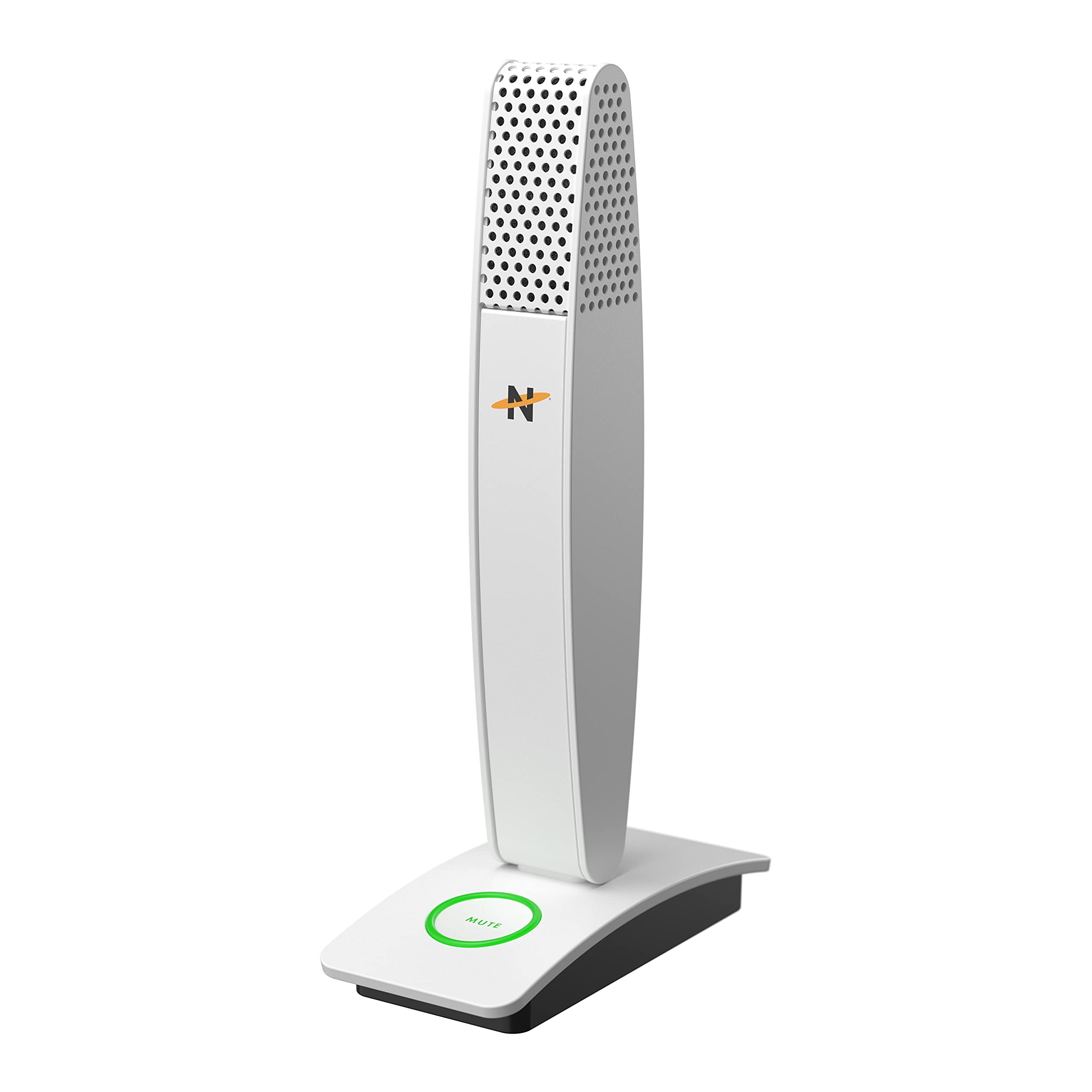
NEAT Microphones Neat Skyline - Directional Cardioid USB Desktop Condenser Conferencing Microphone for Conference, Podcast, and
$122.32

Frequently Asked Questions
- Q: What is the microphone's model number? A: The model number is MIC-1015-01. This unique identifier helps in identifying the specific microphone variant.
- Q: What type of microphone is the Neat Skyline? A: It is a directional cardioid USB desktop condenser microphone. This design helps to focus on sound coming from the front while minimizing background noise.
- Q: What audio quality does the microphone support? A: It supports high-resolution audio up to twenty-four bit and ninety-six kilohertz. This ensures crystal clear sound quality during recordings and broadcasts.
- Q: What color is the Neat Skyline microphone? A: The microphone is available in white. This neutral color fits well in various environments, from home offices to classrooms.
- Q: What type of connection does the microphone use? A: It uses a USB connection. This allows for easy plug-and-play operation with laptops, desktops, and tablets.
- Q: Does the microphone come with a cable? A: Yes, it includes a six-foot USB Type C to Type A cable. This ensures you have everything needed to connect it to your devices.
- Q: How can I mute the microphone? A: The microphone features a large illuminated mute button. This allows for instant silencing when you need privacy during calls or recordings.
- Q: Is the Neat Skyline suitable for podcasting? A: Yes, it is ideal for podcast production. Its high-quality audio capture makes it perfect for recording professional-sounding podcasts.
- Q: Can I use this microphone for video conferencing? A: Yes, it is perfect for video conferencing. Its directional audio capabilities ensure your voice is clear and prominent.
- Q: Is the microphone compatible with both Mac and PC? A: Yes, it is compatible with both Mac and PC systems. This versatility makes it a great choice for various users.
- Q: What warranty is offered with the microphone? A: It comes with a two-year limited manufacturer's warranty. This provides peace of mind regarding quality and support.
- Q: How do I set up the microphone? A: Simply plug it into your computer's USB port and it is ready to use. No additional software installation is required.
- Q: What environments is this microphone suitable for? A: It is suitable for home, office, and classroom environments. Its design allows users to command the room with high-quality audio.
- Q: How should I clean and maintain the microphone? A: To clean, use a dry microfiber cloth. Avoid using liquids or harsh chemicals that could damage the microphone.
- Q: What should I do if the microphone doesn't work? A: First, check the USB connection to ensure it is securely plugged in. If problems persist, refer to the warranty service for support.